What is the reason behind not being able to use non-key properties in the Scope of a tile? Even when those properties are surfaced through the Mustache / labelling options?
Example -
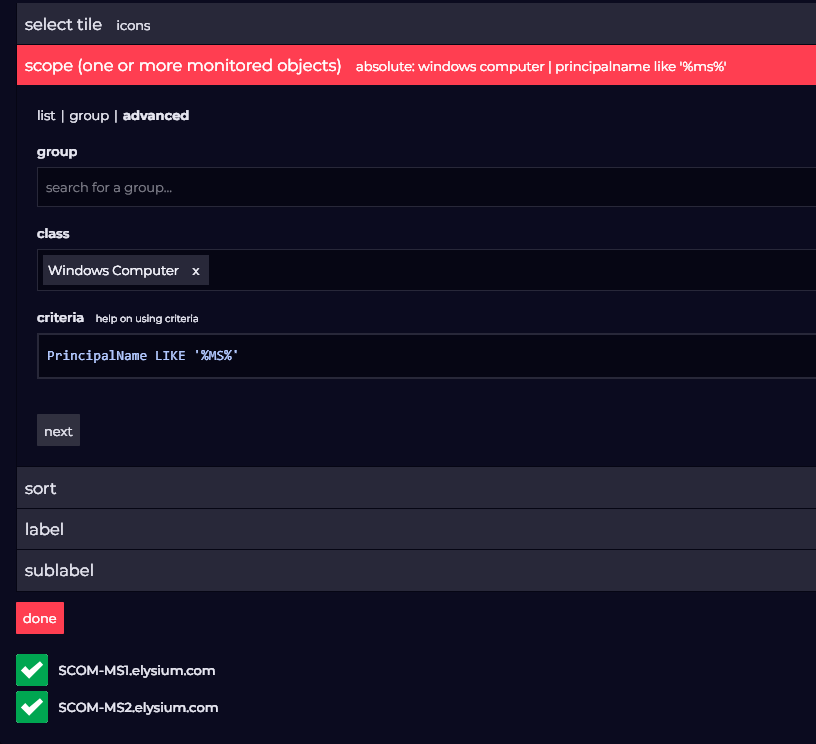
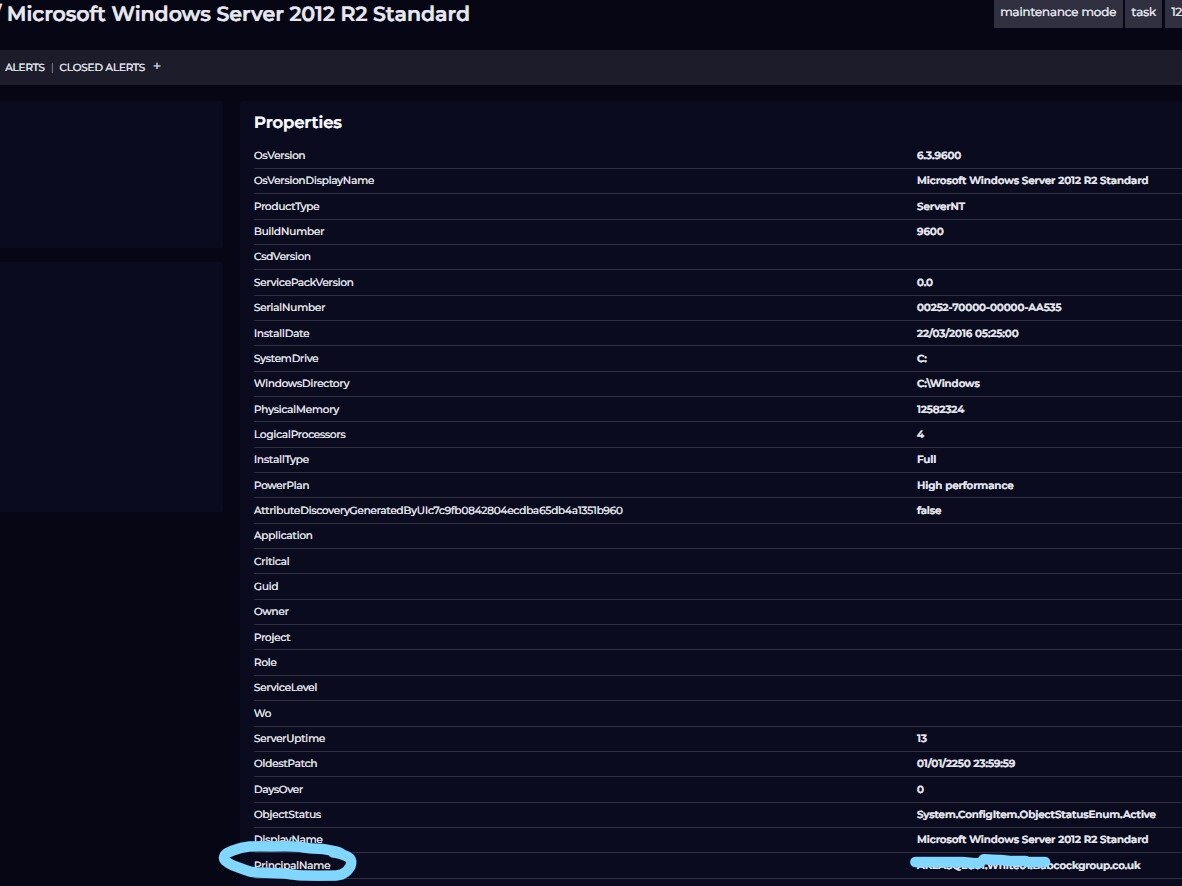
An Icon tile with Class = Windows Operating System. I am unable to scope the result using principalName, despite properties.principleName being a Monitored Entity property.
I’m assuming that this is because the properties are not “Key Properties” and therefore not available until the object has first been returned by the search?
I had to revisit this today and found I was able to get the Computer Name to appear in the Display of my Icon objects, by using the label {{properties.principalName}}
But I am still unable to successfully use the principalName property in the Criteria section of the Scope section of the tile. It simply doesn’t recognise PrincipalName as being a valid property of the Windows Server operating System Class that I have selected in the Advanced tab of the Scope section
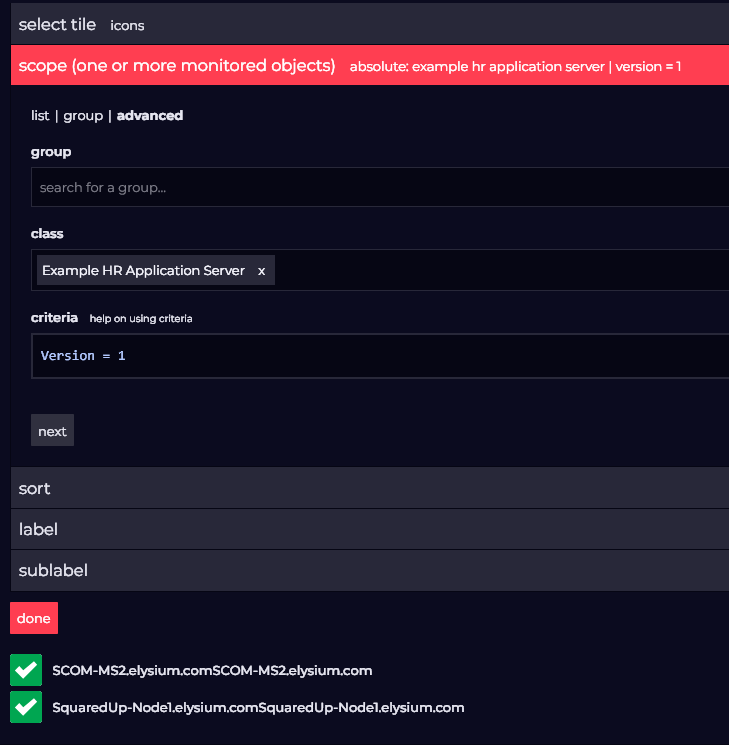
You need to make sure that the property you are scoping against is a property of the class that you have selected. Here is an example with a custom class and property of version.
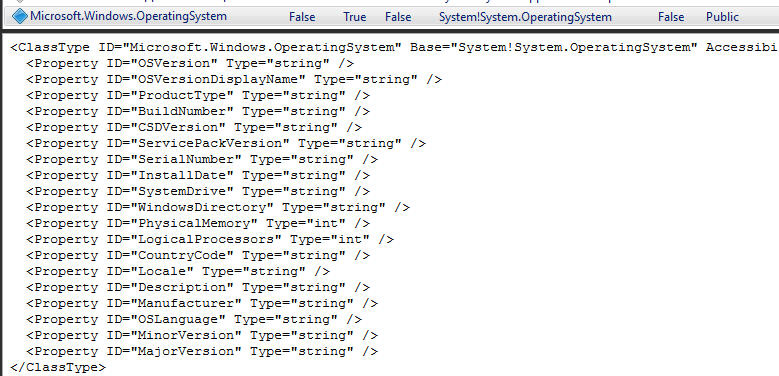
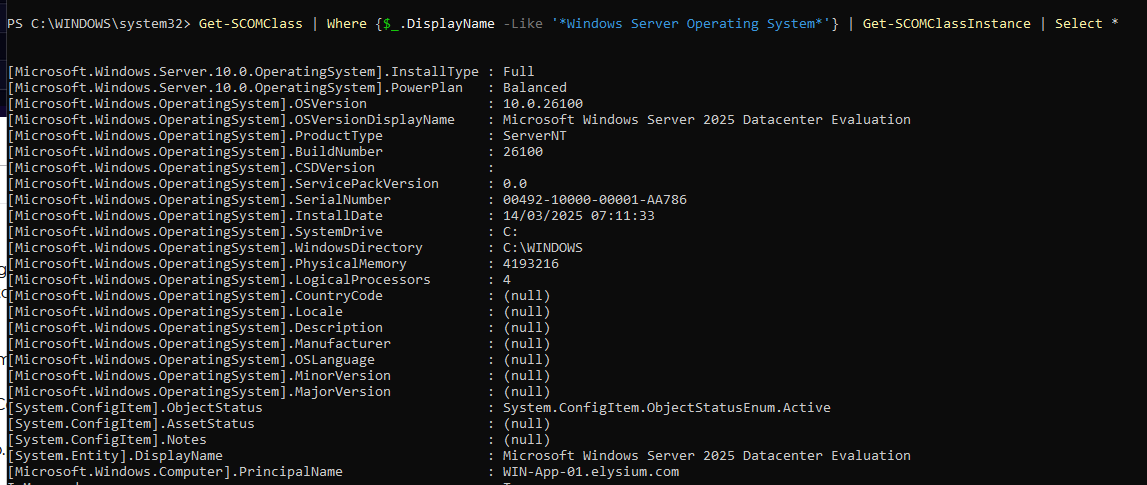
Thanks Graham. That’s helpful. I think that my misunderstanding has come from believing that the properties seen for an object under the “Monitored Entity”, represent the properties of that class. e.g:
Most of our Status tiles are based on scoping to a Group that we have created. Usually containing specific Windows Computer and \ Or Agent Health Service Watcher objects.
As an example for a Status Tile, I may choose one of these groups as my Scope, then add something like “Logical Disk (Abstract)” to the Scope Class, to reveal the status of all the Disks for the Computers in that group. This works well. BUT…I then want to maybe limit the scope to only the Disks that have a certain Hosting Computer Name, but this is not possible because although the tile understands the relationship between Windows Computer and it’s Logical Disks, it can’t access the PrincipalName property from the Logical Disk’s parent. You can see PrincipalName in the Monitiored Entity perspective of a Logical Disk object, but it can’t be surfaced in a tile that is scoped to the Logical Disk Class.
To clarify. The scenario would be that you have a SCOM Group of some Windows Computer objects, that represent your application. Half of the servers are named “WestServerxxx” and half are named “EastServerxxx”. So you create a Status Tile scoped to that Group, then select Logical Disk as the Scope Class to show all the Disks for computers in that group. But now you want to scope further, with Criteria, to only see the Logical Disks that are hosted by the WestServerxxx objects.
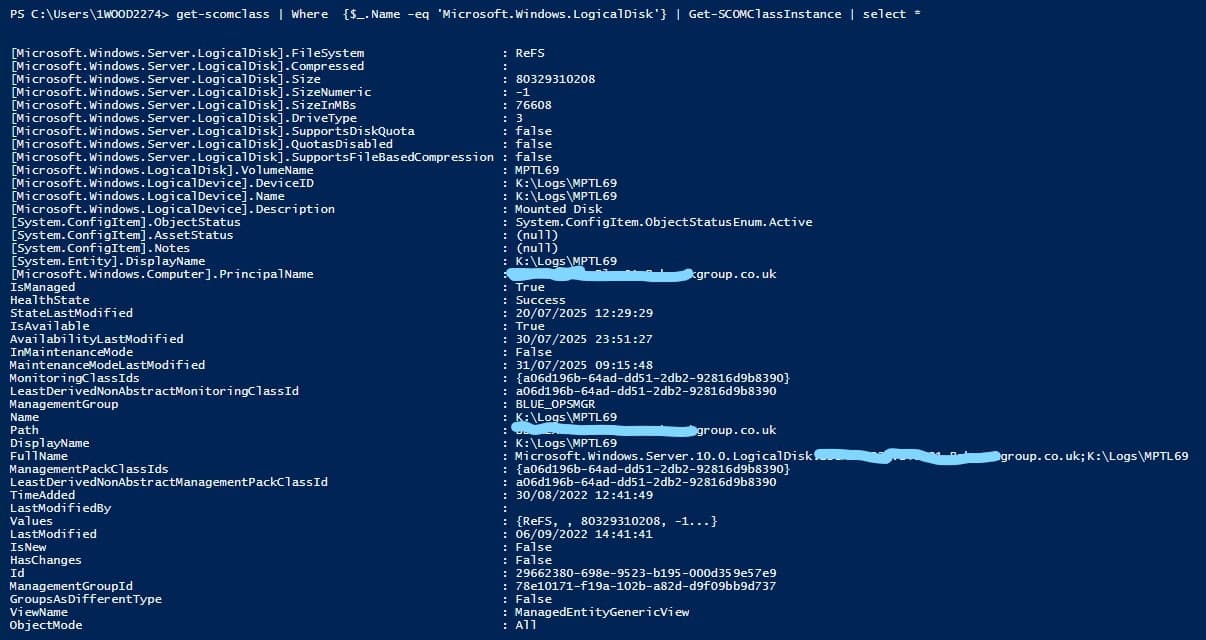
OK. So I got this working. By using the “Path” property in the Criteria. I couldn’t see Path as a property of the Logical Disk class [microsoft.windows.server.logicaldisk] as per your previous similar output for [Microsoft.Windows.Computer] , but Path it is listed as a property further down the output.